

Sales of cellphones have been steadily rising year on year for over a decade now. The only real exception was 2020 when sales dropped significantly for the first time, with a drop of around 160 million units on 2019’s figures. This was likely a side-effect of the pandemic with people being more cautious of unnecessary spending as unemployment rose.
However, sales in 2021 have risen back to normal figures and many people are looking to upgrade contract phones or make new purchases. Buying a new phone is a fairly simple process except for the decision-making part. There are so many choices on the market that it can take time to make the right choice. When it comes to parting with your old phone, it is a different story.
Many people don’t realize that their old phone has value and they just put it in a cupboard or drawer once the new phone arrives. However, there are many options for doing something else with your device.
Why should you give your phone a new home?
The two worst things you could do with your phone are let it sit in a drawer and be forgotten about because it could be put to use elsewhere, or throw it away.
Despite so many people understanding about recycling and reusing products, landfills are still swallowing tonnes of waste every year. When it comes to electronics there are around 40 million tonnes of e-waste that gets chucked into landfills each year, and as phone production grows, that figure will too.
Smartphones contain components that are bad for the environment but many of them can be reused or recycled. Working or damaged phones can be sold or reused for different purposes. By all means, enjoy your new phone, but spend a few moments deciding on the best fate for your old mobile. It may benefit you too.
Alternative uses for your old smartphone
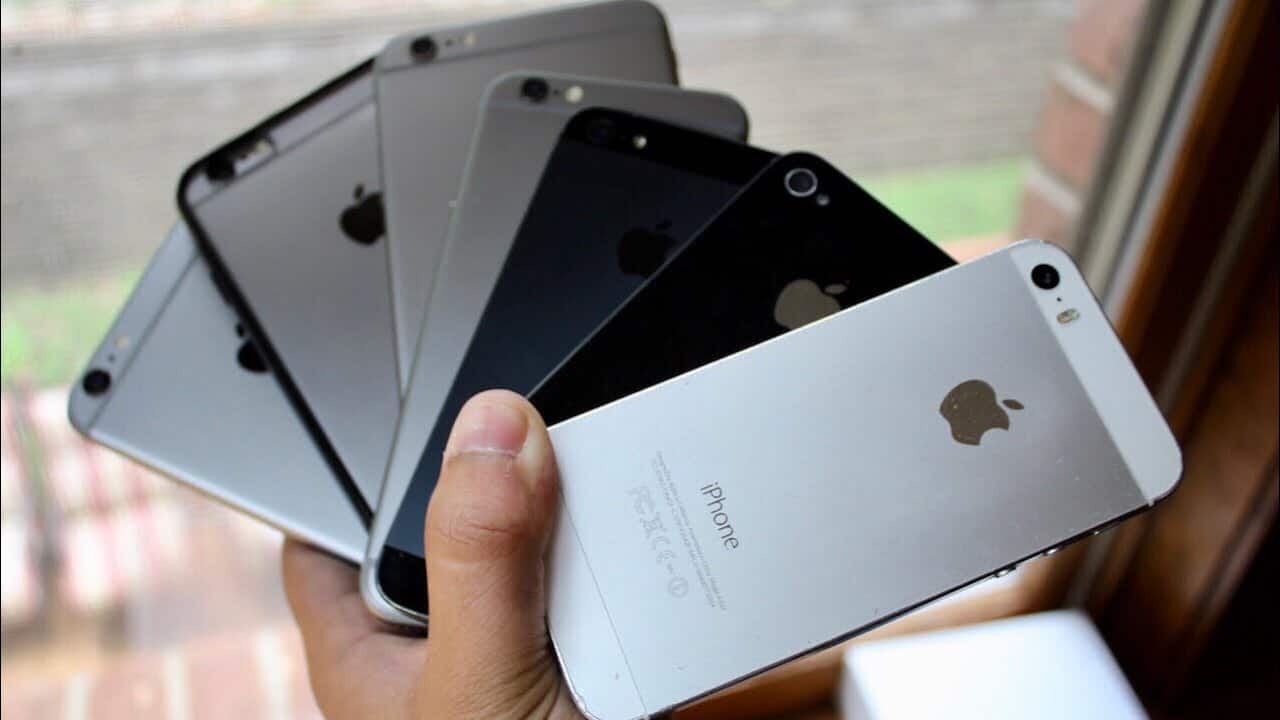
So, you have an old iPhone and you have recently upgraded? Of course, you can sell it online, and below you will see some of the best options for this but, you could also repurpose or find another use for it.
Give it to a relative
If you no longer have a use for your iPhone then pass it on to a sibling, or another relative who needs one. A younger sister or brother might benefit from it and it could make them safer by having a way to call home when out.
Use it as a hotspot
Don’t have WiFi in your apartment? Use the old phone as a communal hotspot for you and your housemates. Granted, the signal may not be as good as some routers, but the security is and it will save money installing or buying one.
Use it for entertainment
iPhones are fantastic for connecting to iTunes, playing movies, music, and games. However, the constant use means the battery gets drained quickly. Keep your new phone for your everyday activities and use the old one for playing music and games. Your new phone’s battery will last far longer.
It is far better to put your old gadgets to use instead of throwing them out, and these ideas may give your phone some new life.
Recycle your old iPhone
If you feel that your phone just isn’t worth keeping and you really can’t get any money for it, then think about recycling it. Only around 12 or 13% of electronic waste gets recycled, and this number needs to be improved upon.
Many companies online will give you money for your old phone and then recycle the parts or refurbish the phone completely. This means that dangerous elements inside the phone will not end up in landfills. Phones can contain mercury, cadmium, lead, and arsenic, among other chemicals that are dangerous for the planet.
They also contain gold, silver, copper, and platinum, as well as tin, zinc, and palladium. All of these metals can be recycled and put to good use. However, if your phone is in good condition, you can look at making some money for yourself.
Selling your iPhone online
When you are looking for the best ways to cash in on old gadgets, the internet is often the best place to start. Being able to sell your old iPhone from the comfort of your home is very convenient but some ways may be better than others.
When you are looking at your options you may want to consider the following:
- Craigslist or online classifieds
- eBay or other auction sites
- Amazon Marketplace
- Apple’s recycle scheme
- A mobile phone buyback service on the internet
All of these are valid ways to sell your old iPhone but some have more disadvantages than others.
Using online classifieds such as Craigslist
Craigslist itself has security protocols installed to make sure the site protects your data, but some of the users are not so genuine. While you could sell your iPhone this way, you will have to meet the buyer in person and there have been many scams linked with Craigslist sales.
eBay and online auctions
This could be a good way to raise money for your old iPhone. The problem is you will be competing with many other similar devices and there is no guarantee of a sale. You could even end up selling your phone for a very low price.
Amazon Marketplace
You set the price and you list the phone. As with eBay, there is no guarantee of a sale.
The two best ways to sell your old iPhone online
The first way you can get rid of an old iPhone is to move it through Apple Trade-In. This service lets you trade your phone in for in-store credit or a gift card. You can also recycle your phone if it is not worth any real value but you want to avoid landfill.
The next option is to use an independent online trade-in and recycle service. You can sell your iPhone to Buyback Boss for instance and receive money back through the method of your choice.
Both of these methods are viable but the advantage of the second one is that you will receive your payment quickly and you can choose how you use the money. Apple will give you credit to use on their products. A buyback company will give you a check, a PayPal credit, or pay money to your favorite charity.
Prepping an iPhone for sale
After you have chosen your method of selling online, you will need to prep your phone so it is safe to be sent. The last thing you want is to leave valuable data or information there.
Perform the following to ensure you are safely passing on your phone:
- Back up to iCloud
- Sign out of Message
- Unpair all devices
- Turn off Find My iPhone
- Sign out of iCloud
- Wipe all data through settings or iTunes
- Remove any SIM cards
Now you are ready to package your phone and post it. Trade-in services online will normally provide you with packaging and prepaid postage labels too.
Summary
Finding a new home for your iPhone is good for the planet and maybe for you too. A younger brother could benefit from a free phone, or you could use it as part of your home entertainment.
If you are looking for extra cash then selling online is the easiest way to move the phone on, and many trade-in websites will give you cash for that unwanted iPhone.